
Most businesses start with a website and assume that checks the "digital presence" box forever. However, there comes a point where a website alone can't keep up with how your business actually operates. That's when custom business tools become essential — purpose-built digital systems that solve the specific operational problems your website was never designed to handle.
If you've ever found yourself duct-taping spreadsheets together, chasing clients through email threads, or manually updating the same information in three different places, you already know the feeling. Your website looks great. Your back-end processes are a mess.
This post breaks down when that shift happens, what kinds of tools fill the gap, and how to decide what your business actually needs.
The Website Did Its Job — Now You Need More
A website is a storefront. It tells people who you are, what you offer, and how to get in touch. For many businesses, that's enough for the first year or two.
Then things change. You hire a team. You onboard more clients. You start tracking data that lives in six different tabs of a spreadsheet nobody remembers to update. Specifically, you start noticing friction in places your website can't reach: internal workflows, client communication, scheduling, and reporting.
This is the moment most business owners either throw more plugins at their WordPress site or resign themselves to "that's just how it is." Neither option is great. Instead, this is exactly when purpose-built digital tools start earning their keep.
What Custom Business Tools Actually Look Like
When people hear "custom business tools," they sometimes picture enterprise software with six-figure price tags. In reality, these tools can be surprisingly straightforward. Furthermore, many of them can be built with no-code apps or low-code platforms at a fraction of the cost.
Client Portals
A client portal gives your customers a single place to log in, view their project status, download deliverables, and communicate with your team. As a result, you stop fielding "just checking in" emails five times a week.
For service-based businesses especially, a client portal transforms the experience on both sides. Your team spends less time on status updates. Your clients feel more informed and in control. ### Booking and Scheduling Systems
If your business involves appointments, consultations, or session-based work, a basic contact form creates unnecessary back-and-forth. A dedicated booking system lets clients self-schedule based on real availability, sends automated reminders, and reduces no-shows.
Therefore, instead of spending 30 minutes per client on scheduling logistics, you spend zero. The tool handles it.
Internal Dashboards and Reporting
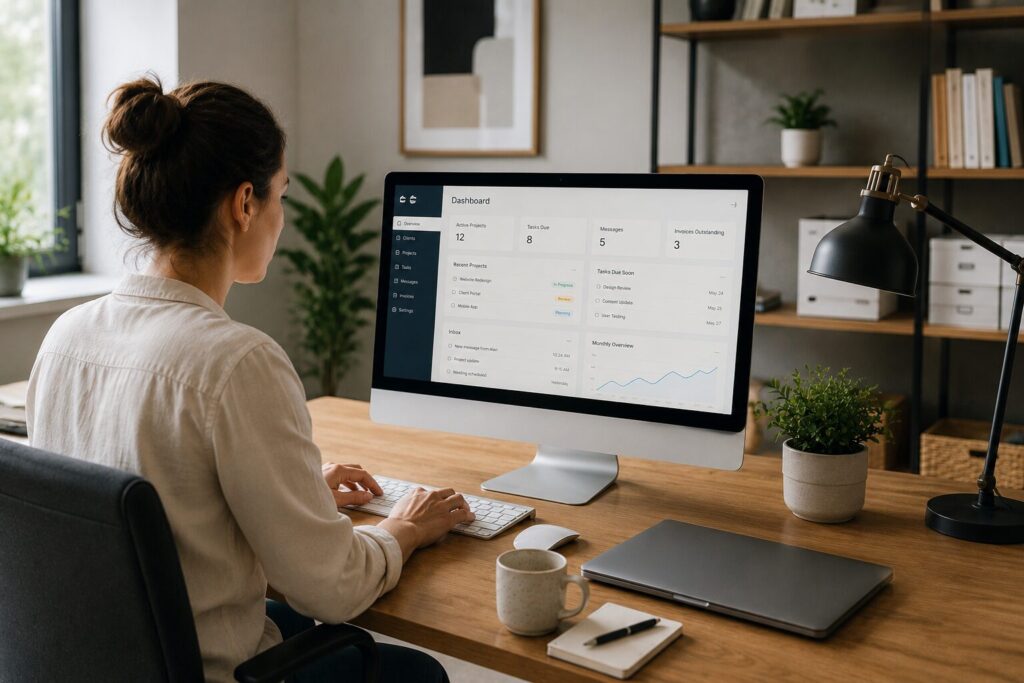
Dashboards pull data from multiple sources into one view. For example, you might track sales pipeline status, client delivery timelines, and team capacity in a single screen rather than toggling between four different apps.
Also, internal business systems like these don't need to be complex. Even a simple dashboard that answers "where do things stand right now?" saves hours of weekly meetings and Slack threads.
Workflow Automation
Some of the most valuable custom business tools are invisible to clients entirely. These are the automations that trigger when a form is submitted, a payment clears, or a project moves to a new stage. Consequently, tasks that used to require manual intervention — sending a welcome email, creating a project folder, notifying a team member — happen on their own.
How to Know It's Time
Not every business needs a custom tool. In fact, building one too early can create more problems than it solves. On the other hand, waiting too long means your team absorbs inefficiency as "normal."
Here are clear signals that you've outgrown your website:
- You're manually doing the same task more than 10 times a week. Repetition at that scale is a system problem, not a discipline problem.
- Clients regularly ask for updates you could automate. If "where's my project?" is a frequent inbox question, a portal would eliminate it.
- Your team uses workarounds that only one person understands. Similarly, if the process breaks when that person is on vacation, it's not a process — it's a dependency.
- You're losing data between steps. Meanwhile, leads fall through cracks, deliverables get lost in email, and nothing connects to anything else.
Choosing the Right Approach
You have a few paths when it comes to building custom business tools. The right one depends on your budget, timeline, and technical comfort.
No-code apps like Softr, Glide, or Airtable let you build functional tools without writing code. They're ideal for internal business systems, simple client portals, and dashboards. Moreover, they're fast to deploy and easy to modify as your needs change.
Low-code platforms offer more flexibility when your requirements get specific. They still keep development costs manageable while allowing deeper customization.
Fully custom development makes sense when your tool is central to your business model or handles sensitive data at scale. Because this path involves higher investment, it's typically reserved for businesses with validated processes that need hardening, not experimenting.
In addition, you don't have to choose one path for everything. Many businesses use no-code tools for internal workflows and invest in custom development only for client-facing systems. ## Start With the Problem, Not the Tool
The biggest mistake business owners make with digital tools is starting with the technology. They hear about a platform, get excited, and try to fit their business into it. That's backwards.
Start by identifying the specific friction point. Name the task, the frequency, and the cost — in time, money, or client experience. Then find or build the tool that eliminates it.
Custom business tools aren't about adding complexity. They're about removing it. When built around a real problem, even a simple tool can fundamentally change how your business operates day to day.
The website got you started. The right tools keep you growing.
Want to Turn Day Visitors Into Loyal Regulars?
I design interactive trails, digital treasure hunts, and visitor engagement tools for family attractions across the UK. Bespoke solutions built around your venue, your storylines, and your seasonal calendar — not off-the-shelf templates.
Free: Loyalty Loop Starter Kit
Get a 2-minute loyalty quiz, 5 plug-and-play email templates, and a simple offer planner — everything you need to turn visitors into regulars.
We only email you if you tick the box. Privacy Policy